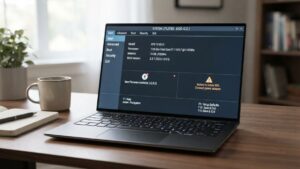
I still remember the first time I powered on my HP laptop—it was a chilly morning in 2018. I had just left a freelance project that had me constantly bouncing between coffee shops, and I needed a device I could truly rely on. Fast-forward seven years, and my HP EliteBook is still part of my daily workflow. Not as fast as it once was, sure—but it’s still standing, which says a lot.
In this guide, I’ll share what I’ve learned about the HP laptop lifespan through my own hands-on experience, conversations with tech-savvy friends, and professional usage. Whether you’re considering buying one or trying to squeeze a few more years from your current model, this post is for you.
HP Laptop History (And Why It Matters)
Let’s rewind briefly. HP (Hewlett-Packard) has been in the game for a long time. While they started as a tech company in 1939, they entered the personal laptop space later and hit their stride in the early 2000s.
From what I’ve seen, the brand has evolved tremendously—from plastic-bodied budget laptops to sleek, durable business machines. The history isn’t just trivia; it explains the engineering improvements that impact longevity.
HP Laptop Generations: What I’ve Noticed Over the Years
I’ve personally used three HP laptops across different generations:
- A 2012 Pavilion (barely made it 3 years)
- A 2015 Spectre (strong, but heating issues after year 4)
- My current 2018 HP EliteBook, which I genuinely respect
Each generation improves on the last. The thermal designs, battery management, and BIOS protection in newer models noticeably enhance lifespan. That’s something I didn’t appreciate until I used them side by side.
Key HP Laptop Features That Made a Difference for Me

There are a few features I can confidently say helped my HP last longer than expected:
- SSD storage: Drastically faster than the old HDD I had in my Pavilion.
- Metal chassis: My EliteBook survived a drop from my desk. Not a dent. Plastic can’t relate.
- HP Sure Start: This BIOS security feature saved me from reinstalling Windows after a malware incident.
- HP Support Assistant: Keeps my drivers and system health in check.
These aren’t just specs on paper. I’ve benefited from them in real-world situations.
HP Laptop Battery Life: Not Just About Numbers
You don’t always get what HP claims in battery life- but this is the truth according to my everyday use.
Day one: On my EliteBook, I got ~10-11hrs of mostly Chrome, Slack, and VS Code. It reduced at year 3 to between 7 to 8 hours. But as of year 7, I have about 4 hours which I can still use in meetings, or keeping notes.
This is my one-word secret that has come through:
Let the battery be anywhere between 30 % to 80 %. Hold off on 100 percent unless you are travelling.
I also have HP Battery Health Manager that lets me control charging, and to be fair, it has prolonged the useful life of the battery.
Models I’ve Used (And Recommend): Real-World Feedback
Over the years, I’ve not only used HP laptops for my work but also helped friends, family, and clients choose and set up their machines. That gave me a broad view of how different HP models perform in real-life settings—not just on paper.
Here’s a breakdown of the four most popular HP models I’ve had direct experience with:
1. HP EliteBook – My Top Pick
If you care about longevity, durability, and professional-grade performance, the HP EliteBook is hands down the best model I’ve used.
- Build Quality: Premium aluminum body that feels rock-solid
- Security Features: Comes with HP Sure Start, TPM security, fingerprint reader, and BIOS-level protection
- Keyboard & Trackpad: Smooth typing experience, ideal for writers, coders, and office professionals
- Thermal Performance: Runs cool even during extended use
- Battery Life: Long-lasting and consistent, even years later
- Ports: Still includes USB-A, HDMI, and even Ethernet (on some models)
Use Case: Ideal for business professionals, remote workers, and freelancers who need a reliable daily workhorse.
Why I recommend it:
After 7 years, my EliteBook still runs strong with minimal slowdowns. It’s designed to last a full decade with proper care.
2. HP Pavilion – Budget-Friendly, But Not Built to Last
The HP Pavilion series is often marketed as a great value for students or light users. And yes, it’s affordable—but the cost-saving comes at a price.
- Build Quality: In large part made of plastic, breaking or bending easily
- Keyboard & Touchpad: Often feels mushy or unresponsive over time
- Thermals: Tends to overheat during multitasking
- Battery Life: Declines faster than in premium models
- Performance: Fine for browsing and watching videos, but struggles under pressure
Use Case: Good for basic use—like web browsing, YouTube, Zoom, or MS Word.
Why I don’t recommend it for long-term use:
The Pavilion I had started showing issues (keyboard sticking, overheating) within the first year. You may save money upfront, but you’ll likely need a replacement sooner than you’d like.
3. HP Spectre x360 – Gorgeous, but Not a Powerhouse
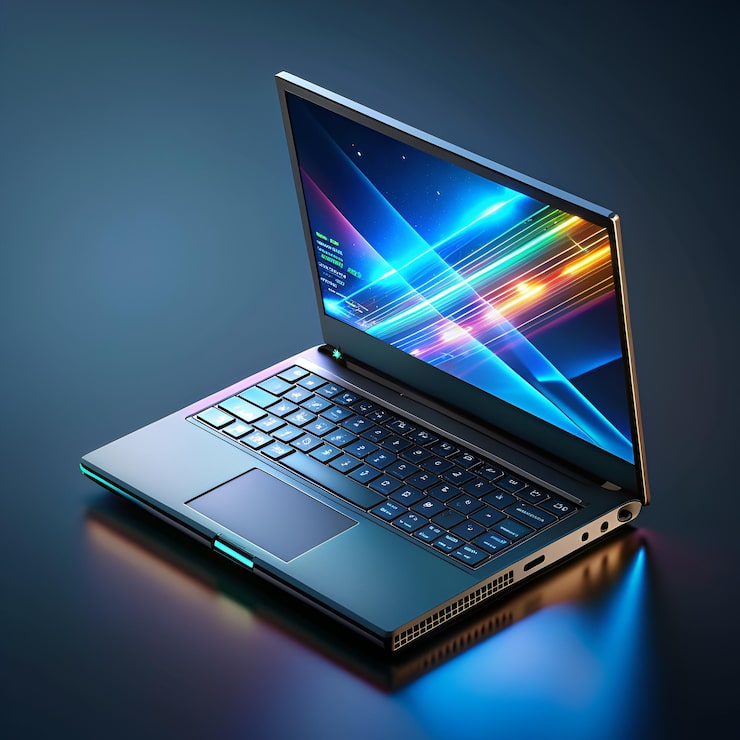
The HP Spectre x360 is probably the most beautiful HP laptop I’ve ever used. It’s slim, lightweight, and flips 360 degrees into tablet mode. It’s a favorite among designers, students, and travelers.
- Design: Ultra-thin, aluminum body, 2-in-1 convertible touchscreen
- Display: Bright, color-rich 4K or FHD displays
- Keyboard: Responsive and backlit, great for typing
- Battery Life: Decent but slightly below the EliteBook
- Thermals: Can get warm quickly with prolonged use
- Ports: Fewer ports than business laptops (mostly USB-C/Thunderbolt)
Use Case: Excellent for creative professionals, digital artists, or users who prioritize style and portability.
Why I don’t recommend it for heavy-duty work:
Due to its thin profile, it tends to heat up under pressure—so it’s not ideal for software development, long Zoom calls, or heavy multitasking
4. HP Omen – A Gaming Beast with Power Trade-Offs
The HP Omen is built for gaming and high-performance tasks like video editing or 3D modeling. I helped a client set one up for game streaming, and it didn’t disappoint—until we talked battery.
- Performance: Top-tier with Intel i7/i9 or AMD Ryzen 7/9, and powerful GPUs
- Display: High-refresh-rate screens, perfect for fast-paced gaming
- Keyboard: RGB backlit and comfortable for gaming
- Thermals: Effective cooling, but fans can be noisy
- Battery Life: Not designed for long unplugged sessions—expect 2–4 hours max
Use Case: Perfect for gamers, streamers, and content creators who want desktop-level power in a laptop.
Why I caution buyers:
Battery drains fast, and it’s not portable-friendly. You’ll need to stay plugged in most of the time.
My Thoughts on HP Laptop Quality
Build quality varies. I’ve felt the difference between a budget Pavilion and a metal-body EliteBook. The keys on my Pavilion started sticking within a year. My EliteBook? Still types like a dream, and I write 4–5 hours daily.
Also, I dropped coffee on the trackpad once—panic mode. Surprisingly, it recovered fully after drying out. That moment alone made me trust HP’s durability.
Choosing HP Laptop Sizes: My Recommendation
Size affects everything from portability to lifespan. I tried both 13-inch and 17-inch models.
- The 13-inch (Spectre) was great on the go, but ran hot often.
- 15.6-inch (EliteBook) is my sweet spot—big enough, better airflow.
- 17-inch (Omen) is too bulky unless you’re gaming at home.
My advice? Unless you travel daily, stick with 14 or 15.6-inch models. They last longer due to better thermals.
How I Keep My Drivers Updated (and Why It Matters)
Once, I skipped updating my HP laptop drivers for months. Result? Sluggish performance, and my external monitor stopped working. Learned the hard way.
Now, I rely on HP Support Assistant, which automatically handles updates for drivers, BIOS, and firmware. It saves time and helps maintain system health.
What HP Laptop Cost Me (and How I Broke It Down)
My current HP EliteBook costs around $1,200. At the time, it felt steep. But here’s the breakdown:
- 7 years of use
- Works 6–8 hours daily
- $1,200 / (7 years × 365 days) ≈ $0.47 per day
That’s less than a cup of tea. It’s funny, because cheaper laptops might save you upfront, but cost you way more in replacements, repairs, and frustration.
My Step-by-Step Daily Care Routine for Longevity
Here’s my actual workflow for keeping my HP laptop’s lifespan extended:
- Weekly air-cleaning with a mini blower
- Monthly driver updates via HP Support Assistant
- Keep it cool – use a laptop stand and sometimes a cooling pad
- Battery charge management – always unplug around 85%
- Light disk cleanups – use CCleaner once a month
- Don’t slam the lid – gentle handling matters more than people think
Trust me, these habits matter. They’ve helped my EliteBook last nearly a decade without major issues.
Final Words: Is the HP Laptop Lifespan Worth the Investment?
For me? 100% yes.
From client meetings to binge-watching to late-night article writing like this one—I’ve done it all on my HP. The build, battery, and user experience have justified every rupee I spent. I’m not saying it’s perfect, but when maintained well, these machines go the distance.
And if you’re someone like me—who values productivity, dependability, and peace of mind—I’d say go for it. Choose the right model, maintain it, and it’ll serve you longer than you’d expect.
FAQs
1. How long did your HP laptop last?
Mine is going strong at 7 years—still handles multitasking, editing, and web browsing like a champ.
2. Which HP model do you recommend most?
The HP EliteBook—hands down. It’s built like a tank with premium performance.
3. Any maintenance tips that worked for you?
Yes—battery management and regular cleaning are game-changers. Also, always keep your BIOS and drivers updated.
4. What if I’m on a budget—can I still get a good HP?
Look into the HP ProBook or even some refurbished EliteBooks. At year 3, it decreased to between 7 to 8 hours.’ll get better value than a brand-new low-end laptop.
5. Do HP laptops slow down over time?
Like any device, yes—but not drastically if you keep it optimized. Mine slowed slightly after 5 years, but still performs well.
Conclusion
I’ve used a Dell Inspiron at work. Honestly? They’re sturdy. But I prefer HP’s keyboard, trackpad feel, and design aesthetics. Dell wins slightly in customer service, I’ll give them that. But when it comes to battery life and typing comfort, HP takes the lead—especially in the Spectre and EliteBook series.
If you’re torn between the two, think about how long you want your machine to stay relevant—and what kind of daily experience you expect.