

A laptop screen usually displays images on a flat surface, but Acer is exploring a different approach with its SpatialLabs technology. The Acer 3D SpatialLabs laptop brings glasses-free 3D visuals to portable computers, allowing users to explore digital objects, watch supported content, and interact with 3D environments without wearing special glasses.
This technology is particularly interesting for 3D designers, digital artists, developers, and gamers who want a more immersive viewing experience. Instead of relying entirely on traditional 2D displays, SpatialLabs uses specialised screen technology and eye tracking to create a sense of depth.
Acer has introduced SpatialLabs technology across different product families, including Aspire and Predator laptops. More recently, the company has expanded the concept with the Aspire G 3D 16, announced in September 2026.
But is this technology genuinely useful, or is it simply an interesting feature that most laptop users can live without?
Let’s explore how Acer SpatialLabs works, which laptops offer it, what you can do with the technology, and what you should consider before purchasing one.
What Is an Acer 3D SpatialLabs Laptop?
An Acer 3D SpatialLabs laptop is a computer equipped with specialised display technology that produces stereoscopic 3D visuals without requiring traditional 3D glasses.
Unlike ordinary laptop displays, which show the same image to both eyes, SpatialLabs uses optical technology and eye tracking to deliver slightly different images to each eye. Your brain combines these images, creating the perception of depth.
This makes digital objects appear more three-dimensional rather than looking like flat pictures on a screen.
The technology is designed for more than entertainment. It can help professionals examine 3D models, inspect product designs, and explore digital environments with a better sense of proportion and depth.
Acer’s SpatialLabs ecosystem also includes dedicated applications for viewing 3D models, converting supported 2D content into 3D, and experiencing compatible games.
How Does Acer SpatialLabs Technology Work?
The technology behind SpatialLabs combines several components to create a glasses-free 3D viewing experience.
Proposed image: Acer laptop displaying a floating 3D object with visible eye-tracking concept.
1. Eye-Tracking Cameras
Eye tracking is one of the most important parts of the system. Small cameras monitor the viewer’s eye position and help the display adjust the images being presented.
This allows the laptop to maintain the stereoscopic effect as the viewer moves naturally within the supported viewing area.
2. Specialised Optical Display
The display uses specialised optical components to direct different visual information toward each eye.
As a result, your left and right eyes receive slightly different perspectives of the same object. Your brain interprets those differences as depth.
3. Real-Time Rendering
SpatialLabs also relies on rendering technology and compatible software to create the required 3D images.
This is particularly important for designers and developers who need to inspect digital models while making changes to their projects.
The overall experience depends on the laptop’s hardware, software compatibility, and the type of content being displayed.
Best Acer Laptops Featuring Spatial Labs Technology
Acer has introduced SpatialLabs across multiple laptop categories. However, not every model offers the same hardware or is designed for the same audience.
Here are some notable examples.
1. Acer Aspire 3D 15 SpatialLabs Edition
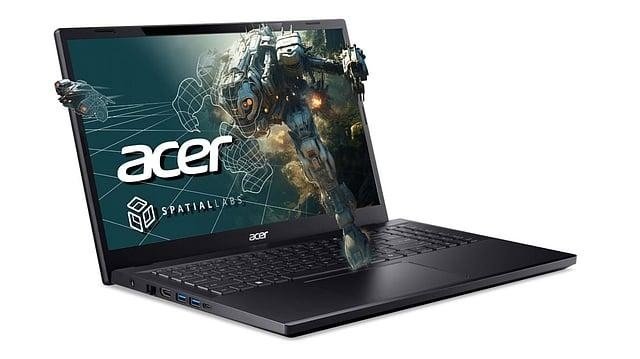
The Aspire 3D 15 SpatialLabs Edition is one of Acer’s most recognisable laptops, featuring glasses-free 3D technology.
It is designed for creators, professionals, and entertainment enthusiasts who want to explore stereoscopic visuals without purchasing a separate 3D monitor.
Depending on configuration and region, its specifications include:
- 13th-generation Intel Core i7 processor.
- NVIDIA GeForce RTX 4050 laptop GPU.
- Up to 32GB memory.
- 15.6-inch 4K UHD IPS display for 2D content.
- Specialised SpatialLabs stereoscopic 3D display technology.
- Thunderbolt 4 and HDMI 2.1 connectivity.
One important detail is that its advertised 4K resolution applies to 2D viewing. When 3D mode is active, the spatial resolution splits to 1920 × 2160 per eye.
The laptop is particularly suitable for people who work with 3D models, digital artwork, and compatible creative applications.
2. Acer Predator Helios 3D 15 Spatial Labs Edition
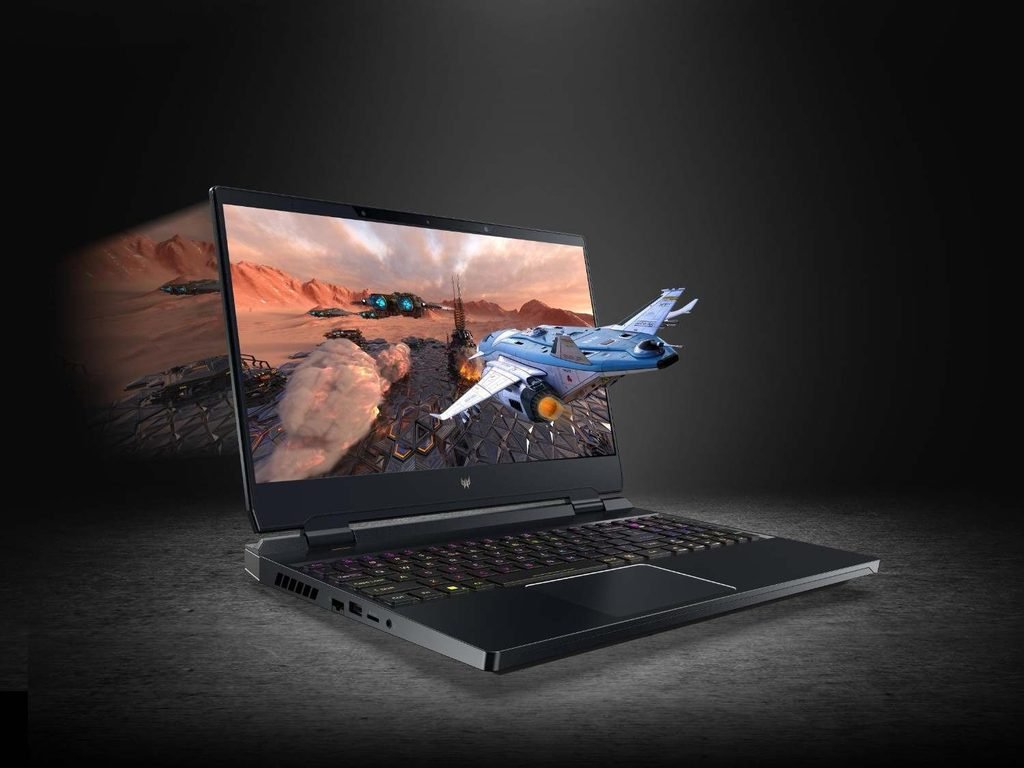
The Predator Helios SpatialLabs series takes the technology in a different direction by focusing on gaming and immersive entertainment.
Its main attraction is the ability to experience compatible games with stereoscopic depth without wearing dedicated 3D glasses.
Acer’s SpatialLabs TrueGame software supports selected titles, allowing players to experience supported games with additional depth and visual immersion.
However, compatibility is important. Not every PC game automatically supports SpatialLabs, and the experience can vary between titles.
This laptop category is more appropriate for gamers who specifically want to experiment with 3D gaming rather than people simply looking for a conventional high-performance gaming machine.
3. Acer Aspire G 3D 16
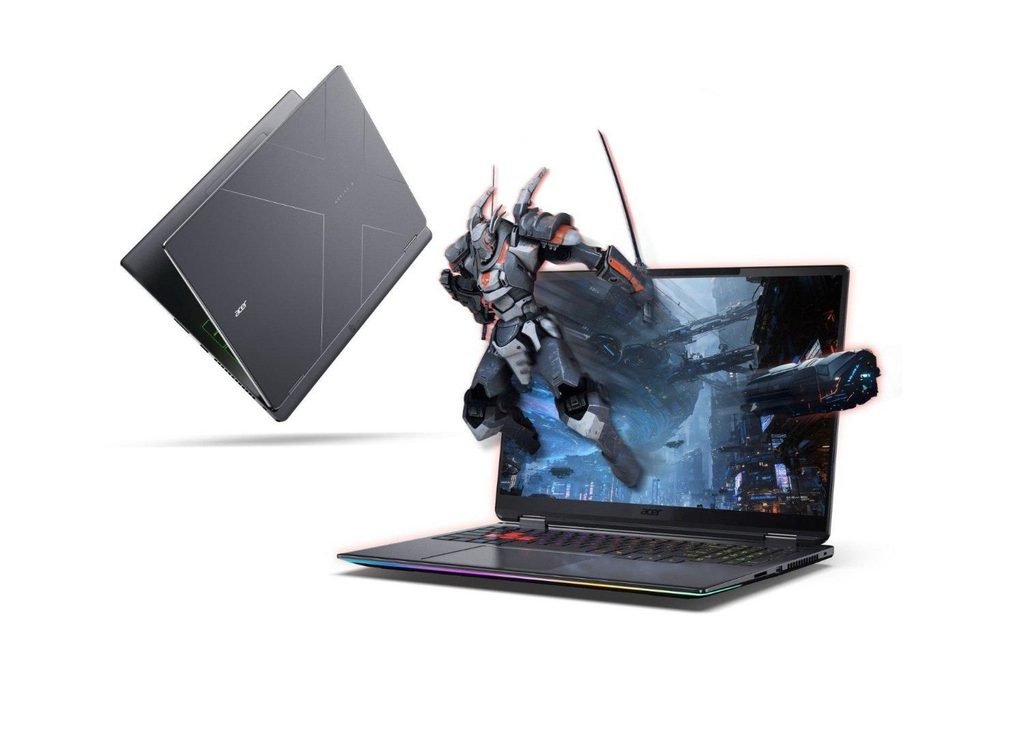
Acer introduced another interesting development in September 2026: the Aspire G 3D 16.
This model brings SpatialLabs technology to Acer’s mainstream Aspire family and uses AMD’s Ryzen AI Max+ 395 processor with integrated Radeon 8060S graphics.
Reported specifications include:
- 16-inch IPS display.
- 3840 × 2400 resolution in 2D mode.
- 120 Hz refresh rate.
- Up to 128GB LPDDR5x memory.
- Up to 2TB SSD storage
- 99.9 Wh battery.
- Wi-Fi 7 and Bluetooth 5.4.
- Two USB4 ports.
Its integrated graphics approach is particularly interesting because it does not depend on a separate dedicated graphics card.
However, Acer had not published confirmed pricing or regional availability in the September 2026 announcement coverage. Buyers should check local availability before making purchasing decisions.
What Can You Do With an Acer SpatialLabs Laptop?
The biggest advantage of an Acer 3D SpatialLabs laptop is its ability to make compatible digital content feel more realistic.
Here are some practical applications.
1. Explore 3D Models and Designs
Designers can use compatible software to inspect digital objects in stereoscopic 3D.
For example, someone creating a product prototype can examine its shape, proportions, and structure without relying entirely on a traditional flat preview.
Acer SpatialLabs Model Viewer supports this type of workflow.
2. Improve Creative Workflows
Digital artists and 3D professionals can use SpatialLabs-compatible tools to preview their projects with additional depth.
This can be useful when working with product designs, digital sculptures, architectural models, and other three-dimensional projects.
It does not replace professional modelling software, but it can provide another way to examine finished work.
3. Enjoy Supported 3D Games
Gaming is another interesting application.
Acer SpatialLabs TrueGame enables stereoscopic 3D experiences in supported titles. Instead of seeing everything as a conventional flat image, players can experience additional visual depth.
However, supported game lists and software compatibility should be checked before purchasing a laptop specifically for this purpose.
4. Convert Supported 2D Content Into 3D
Acer also offers SpatialLabs Go and SpatialLabs Player.
These applications can use AI-assisted depth processing to convert supported 2D images and video content into stereoscopic presentations.
The results depend on the source material and conversion process. Not every video will look equally convincing, so users should not expect perfect 3D conversion from all content.
Acer SpatialLabs Laptop: Advantages and Disadvantages
Before buying one, it is worth understanding both the benefits and limitations.
| Advantages | Disadvantages |
| Glasses-free 3D viewing | Premium pricing |
| Useful for examining 3D models | Limited software compatibility |
| Dedicated creative applications | 3D viewing has a restricted viewing area. |
| Supports selected 3D games | Not every game supports 3D. |
| Can convert supported 2D content | Conversion quality varies |
| Combines a laptop and specialised 3D display | Not essential for everyday computing |
The technology offers something genuinely different, but its value depends heavily on how often you will use its 3D capabilities.
Is an Acer 3D Spatial Labs Laptop Worth Buying?
An Acer SpatialLabs laptop makes the most sense when its special display technology solves a genuine problem or improves an activity you regularly perform.
For example, 3D designers may appreciate being able to inspect models with more realistic depth. Developers working with immersive content may also benefit from a compatible display environment.
Gamers, meanwhile, might enjoy the novelty of supported stereoscopic titles, although the limited compatibility means it should not be the only reason to choose a particular laptop.
For ordinary users who mainly browse websites, attend online meetings, write documents, or watch conventional videos, a regular laptop may provide better value.
Before purchasing, consider the following:
- Your main purpose: Decide whether you need 3D modelling, gaming, or entertainment.
- Hardware requirements: Compare the processor, GPU, memory, and storage against your applications.
- Software support: Check whether your preferred applications work with SpatialLabs.
- Display experience: Try the 3D effect in person if possible.
- Price and availability: Compare local configurations instead of relying on international prices.
For demanding games and creative applications, also check whether the selected configuration has sufficient graphics performance and cooling. Our guide on laptop game compatibility explains why checking actual hardware specifications matters.
How Does Acer SpatialLabs Compare With Traditional 3D Displays?
Traditional 3D displays often require specialised glasses or other accessories to create a stereoscopic experience.
Acer SpatialLabs takes a different approach by integrating eye tracking and optical display technology directly into compatible devices.
This makes the experience more convenient because users do not need to wear separate glasses.
However, there are trade-offs. The viewing position is more restricted than on an ordinary laptop screen, and the 3D experience is designed around the tracked viewer.
For example, someone sitting beside you may not see the same 3D effect from their viewing position.
The technology is therefore more suitable for individual interactive experiences than situations where several people need to view the same 3D image simultaneously.
An independent PCWorld review of the Predator Helios 300 SpatialLabs Edition also highlights the technology’s potential alongside practical limitations, including its price and display characteristics.
FAQs
1. What is Acer SpatialLabs technology?
Acer SpatialLabs is a display technology that creates glasses-free stereoscopic 3D visuals using specialised optics, eye tracking, and compatible software.
2. Do Acer SpatialLabs laptops require 3D glasses?
No. Compatible SpatialLabs laptops use specialised displays and eye-tracking technology to create 3D visuals without traditional 3D glasses.
3. Can I play games on an Acer SpatialLabs laptop?
Yes. Compatible models support selected games through Acer SpatialLabs TrueGame. However, not every PC game supports stereoscopic 3D.
4. Can Acer SpatialLabs convert normal videos into 3D?
Acer’s SpatialLabs Go and SpatialLabs Player can use AI-assisted processing to convert supported 2D content into stereoscopic 3D. Results vary depending on the content.
5. Is Acer Aspire 3D 15 good for professional work?
It can be useful for creators and professionals who work with compatible 3D applications. Its processor, dedicated graphics, and specialised display make it suitable for certain creative workflows.
6. Is the Acer Aspire G 3D 16 available to buy?
Acer announced the Aspire G 3D 16 in September 2026, but confirmed pricing and regional availability had not been published in the announcement coverage available at the time of writing.
Conclusion
The Acer 3D SpatialLabs laptop represents an interesting development in portable display technology. By combining eye tracking, specialised optics, and real-time rendering, Acer allows users to experience compatible 3D content without wearing traditional glasses.
Models such as the Aspire 3D 15 and Predator Helios 3D 15 demonstrate how the technology can support creative work, entertainment, and gaming. The newer Aspire G 3D 16 also shows Acer’s intention to expand glasses-free 3D into a wider range of laptops.
However, SpatialLabs is not essential for everyone. Its value depends on software compatibility, viewing preferences, hardware requirements, and price.
If you regularly work with 3D designs or want to explore stereoscopic gaming, it is worth considering. For everyday computing, a conventional laptop may still be the more practical choice.