
As someone who frequently travels for both work and personal reasons, I’ve learned one thing the hard way — how can you protect a mobile device while traveling is not just a question, it’s a necessity. Your phone is the first thing hackers want to get their hands on. It holds your photos, bank details, passwords, work emails — even your location. The moment you connect to random airport Wi-Fi or charge your phone at a café, you’re exposing it to unseen threats.
A few years ago, during a solo trip to Istanbul, I made the rookie mistake of connecting to a hotel’s “free” Wi-Fi without using a VPN. Within hours, my email account was accessed from a foreign IP address, and my banking app flagged suspicious login attempts. That moment completely changed how I approach mobile security while traveling — and it’s exactly why I’m writing this guide for you.
Let me walk you through everything I’ve learned — from smart habits to military-grade strategies — to help you protect your mobile device while traveling.
How Can You Protect a Mobile Device While Traveling—and Why It Matters?
When we’re traveling — whether for work, leisure, or military duty — we often slip into a more relaxed state of mind. It’s completely natural. You’re focused on catching flights, booking hotels, exploring new places, or just enjoying the moment. But in that relaxed state, it’s incredibly easy to let your guard down, especially when it comes to your phone.
Think about it — your phone holds everything:
- Banking apps
- Work emails
- Private messages and photos
- Passwords
- GPS location history
- Social media access
- Even sensitive government or corporate files (if you’re traveling on duty)
And yet, we often treat our phones casually while traveling — charging them at random stations, connecting to free airport Wi-Fi, downloading translation apps, or logging in to email from a borrowed laptop.
But here’s the uncomfortable truth:
Your phone is one of the most valuable digital targets for cybercriminals while you travel.
Let’s break down why the risk spikes dramatically during travel:
1. Public Wi-Fi Is a Hacker’s Playground
Free Wi-Fi is provided in airports, coffee shops, and hotels. Sounds convenient, right? But most of these networks:
- Aren’t encrypted
- Don’t require passwords
- Don’t protect against snooping
This makes it ridiculously easy for hackers to launch man-in-the-middle attacks, intercepting the data you’re sending and receiving. Think of it like mailing a letter with no envelope — anyone can read it.
I learned this during a business trip to London, when I logged into my Dropbox on the hotel Wi-Fi. Later, I received a breach notification. I hadn’t even noticed someone was sniffing my data.
CISA warns that using public Wi-Fi while traveling puts your data at risk.
2. Fake Charging Stations (Juice Jacking) Can Steal Your Data
Ever seen those public USB charging kiosks at malls or airports? Many of us instinctively plug in our phones when the battery hits 10%.
But here’s the danger:
USB ports don’t just provide power — they can also transfer data.
Juice jacking is a type of cyberattack where hackers set up fake charging stations that secretly install malware or copy your phone’s contents while it charges. It’s real, and it’s happening more frequently in high-traffic travel areas.
That’s why I always carry my charger and a USB data blocker (like PortaPow) — to avoid this kind of risk.
3. Apps and Links You Trust at Home May Behave Differently Abroad
Many apps rely on regional servers or access local data. When you travel abroad:
- You might be redirected to spoofed versions of legitimate websites
- Your app’s behavior might change based on network configuration or regional access laws
- Third-party app stores might offer counterfeit apps disguised as real ones
For instance, a friend of mine once downloaded what he thought was “Google Translate” in a foreign country where the Play Store was restricted. It turned out to be a malicious clone that spied on his camera and microphone.
Even QR codes — the ones used for restaurant menus or event check-ins — can be weaponized to send you to phishing sites.
How I Protect My Phone Before Every Trip
So we will begin with a checklist I make before any journey. Whether I’m traveling for fun or work, I always make sure I do the following:
1. Update Everything
Before I even pack my bags, I update my operating system and all apps.
- Security patches in updates close vulnerabilities.
- I check even my antivirus apps for updates.
Update iOS | Update Android
2. Install a Trusted Mobile Security App
I use Bitdefender Mobile Security because it offers anti-theft, web protection, and a lightweight VPN.
3. Enable Biometric Locks and Strong Passcodes
Face ID or fingerprint? Use it. And please ditch your “1234” passcode — use something complex.
4. Turn on “Find My Phone” and Remote Wipe
In case you lose the phone or it gets stolen, you must do:
- Locate it
- Wipe all data remotely
- Lock it instantly
Set up for iPhone | Set up for Android
5. Back Up Your Phone
I use Google One to back up my photos and contacts, and iCloud for files.
Google Backup | iCloud Backup
Traveling Cyber Awareness: My Golden Rule
One of the smartest things I ever did before a work-related trip was taking the Cyber Awareness Challenge. It taught me:
- Avoid clicking on unfamiliar links, even from hotel emails
- Use 2FA (Two-Factor Authentication) for everything — banking, email, social media
- Don’t save passwords in browsers
Since then, cyber awareness became a habit, not just a course.
Traveling and Connecting with a Government VPN
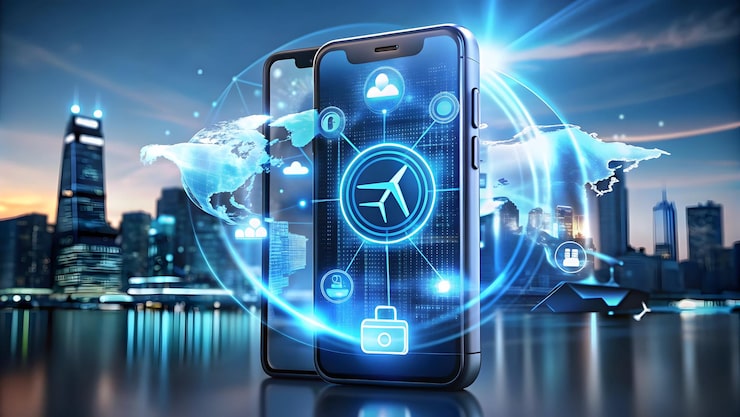
When I traveled for a tech event involving some sensitive client meetings, I was provided access to a Government VPN.
Even now, for personal travel, I use Nord VPN. It:
- Makes my internet packet encrypted, whereby no one can eavesdrop on me
- Helps me avoid geo-restrictions
- Works even on hotel and airport Wi-Fi
If you’re a military member or work with classified content, connect using a DoD-recommended VPN.
For fun (and habit reinforcement), I created a custom Quizlet set about cyber hygiene while traveling.
It’s a great way to quickly memorize:
- Wi-Fi red flags
- Safe browsing tips
- Do’s and Don’ts of Mobile Charging
I’ve consulted for USMC personnel on field-ready tech gear, and I’ve seen firsthand how seriously they treat mobile security.
What I took away:
- Always disable Bluetooth unless you’re using it
- Never connect to an unknown Wi-Fi without authorization
- Use RFID-shielded sleeves for both phones and smart cards
Using JKO Training for Real-World Safety
I enrolled in a JKO (Joint Knowledge Online) course last year and was amazed at how much practical advice it offered.
- Mobile use policies abroad
- Operational security
- What happens if your gadget is hijacked
Highly recommended if you’re involved in federal work or military service.
Navy Travel Lessons: Security for Sailors and Families
A friend of mine in the U.S. Navy shared a life-saving tip before I traveled to Asia:
“Don’t just install a VPN — test it before you leave.”
I did, and my VPN ended up needing a patch. That tip saved me from a failed connection in Singapore.
Whether you’re a sailor or a civilian, these tips matter:
- Keep your apps updated
- Don’t download new apps while traveling
- Carry a hard copy of emergency contacts
Bonus Tips I Use Every Time I Travel
- USB data blocker: I use aPortaPow Data Blocker to avoid data theft at charging stations
- Offline maps: Download Google Maps offline to avoid connecting in sketchy areas
- Use eSIM: If available, instead of local SIM cards from unreliable vendors
- Two-Factor Authentication: I use Authy for my 2FA instead of SMS
Personal Anecdote: When I Nearly Lost Everything
On a quick trip to Dubai, I downloaded a translator app outside the Play Store. Why? My store access was restricted due to region settings. The app worked… until my camera and mic started acting weird.
Long story short — it was spyware.
I factory reset the device and lost nearly everything I hadn’t backed up.
Never again.
Now, I only use official sources, VPNs, and a strict “no downloads abroad” policy.
Travel-Safe Mobile Plan
Here’s a recap of what I do and what you should too:
| Step | Action |
| 1 | Update your OS and apps |
| 2 | Install a reputable mobile security app |
| 3 | Enable biometrics and strong passcodes |
| 4 | Turn on “Find My Phone” & remote wipe |
| 5 | Back up everything |
| 6 | Use a trusted VPN — especially a Government VPN if you’re in service |
| 7 | Avoid public charging stations without data blockers |
| 8 | Use 2FA for all logins |
| 9 | Complete awareness training via JKO or Cyber Awareness Challenge |
| 10 | Never download from unknown sources |
(FAQs)
Q1: What is the biggest mobile security risk while traveling?
A: The most common risks are connecting to unsecured public Wi-Fi, using unknown charging stations, and downloading unverified apps. These can lead to data theft, malware, and unauthorized access to your accounts.
Q2: Should I always use a VPN while traveling?
A: Yes! A trusted VPN encrypts your internet traffic, especially on public networks. If you’re part of the military or government, using a Government VPN is often required for secure communications.
Q3: Is it safe to charge my phone at airports or cafés?
A: Not without precautions. Public charging stations can be used for juice jacking, a method where hackers steal data via USB ports. Use a USB data blocker or your wall charger to stay protected.
Q4: What should I do if my phone is lost or stolen abroad?
A: Immediately use “Find My Phone” (iOS or Android) to lock or wipe your device remotely. Then report the incident to local authorities and your mobile carrier to suspend service and prevent misuse.
Q5: Do I need cybersecurity training before traveling?
A: It’s a smart move, especially for government employees or military personnel. Programs like the Cyber Awareness Challenge or Traveling JKO modules offer essential tips for safe device use abroad.
Conclusion
So, how can you protect a mobile device while traveling?
Through preparation, smart habits, and ongoing awareness. Treat your device the way you treat your passport — essential, valuable, and worth protecting at all costs. I’ve been on both sides — careless and careful — and trust me, the peace of mind that comes with secure travel is priceless. If you only take one thing from this article, use a VPN and turn off Wi-Fi when you’re not using it.
Safe travels — and stay cyber aware.